Indecent App Store

0.0

A weighing app for the Decent Scale.

Indecent puts three instrument faces on one Bluetooth link to your Decent or Half Decent Scale. Weigh a pour, trace it over time, or tally a recipe ingredient by ingredient. The reading also sits on the Lock Screen and in the Dynamic Island while you work.

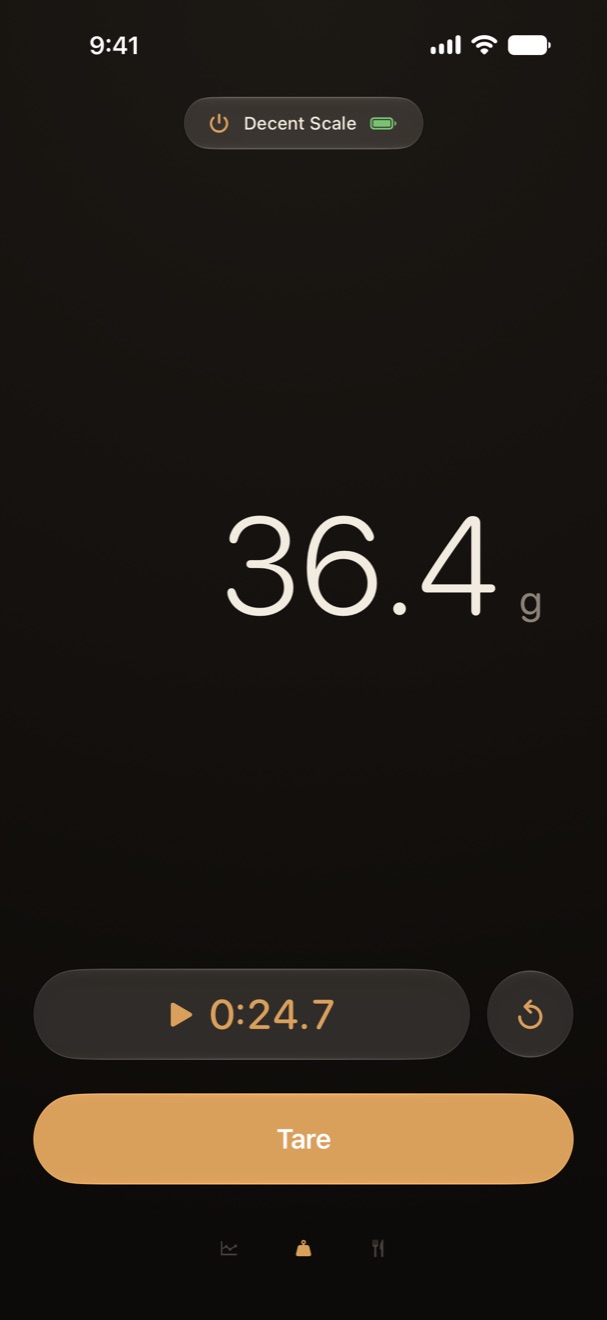
The Weigh face showing 36.4 g in large cream digits, a running timer at 0:24.7, and a gold Tare button.

Swipe between the faces, or tap the glyphs along the bottom.

Weigh face

Weigh

The big readout. Digits dim while the platform is moving and come up to full cream once they settle. Timer and tare sit underneath.

Pause is local. The scale's own clock always restarts from zero, so a resume from mid-pour only runs in the app.
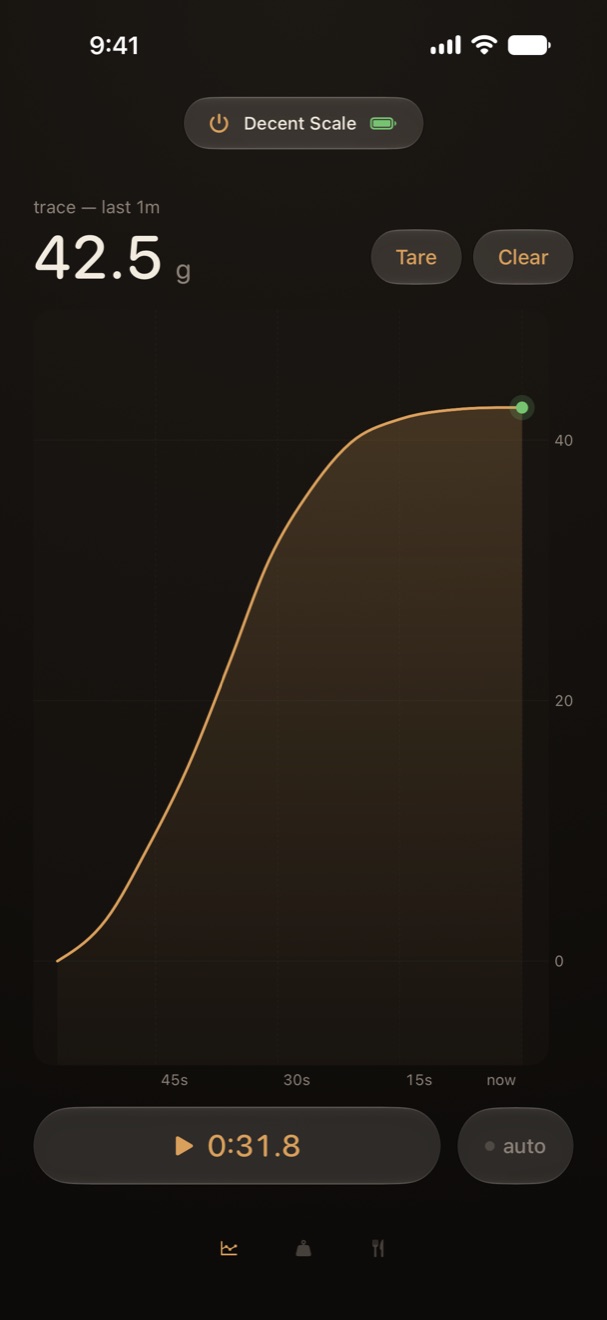
Trace face with a gold curve rising to 42.5 g over the last minute

Trace

A rolling strip of the last 15 seconds to 5 minutes. Pinch to zoom, double-tap to snap back to a minute. Each tare is a dashed rule.

Arm autostart and the timer starts when weight first hits the pan. Pause the timer and the paper freezes.

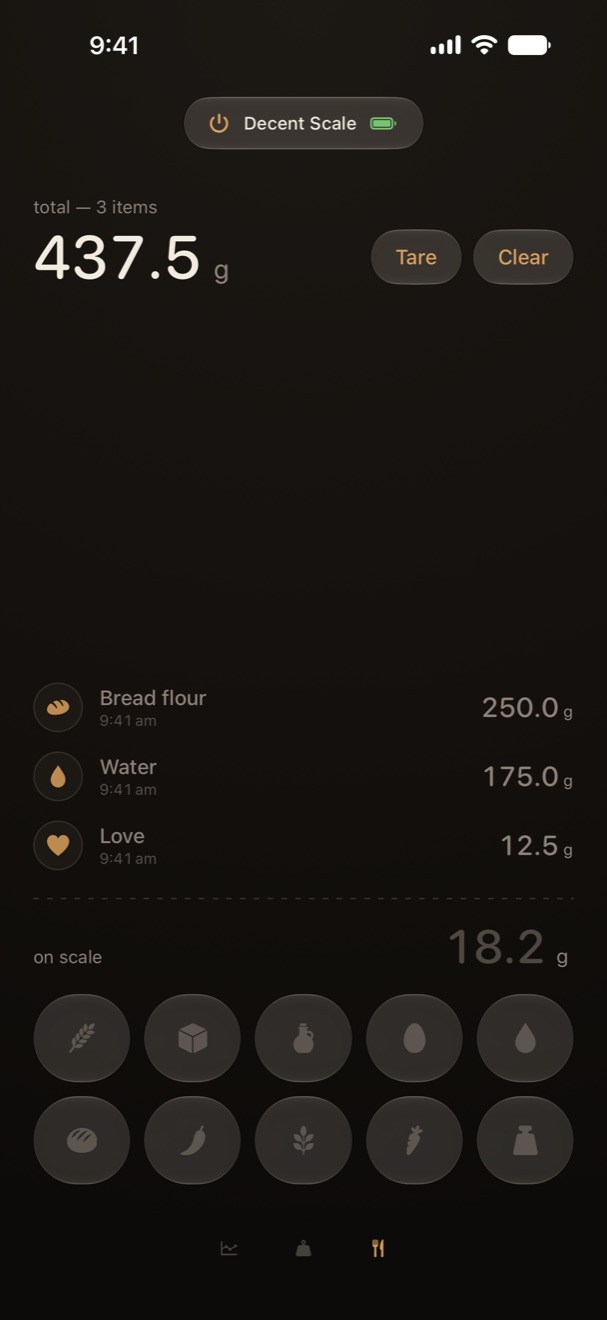
Tally face with bread flour, water, and love banked, and 18.2 g still on the scale

Tally

Put something on the scale and tap its category. Those grams go on a ledger while the scale tares for the next one.

Hold an icon for the pantry: bread flour, yolk, starter, and the rest. The last column is the house pantry. Leftovers, cat hair, a shred of decency.

How it works

No account, no setup screen. The scale is the whole configuration.

  1. Wake the scale

    Turn on your Decent or Half Decent Scale. Keep Bluetooth on.

  2. Tap the capsule

    The capsule at the top of every face connects and disconnects. It shows the scale's name and battery once linked.

  3. Pick a face

    Weigh, Trace, or Tally. Swipe between them or tap the glyphs at the bottom. Tare and timer follow you.

  4. Hold for more

    Hold the capsule to power off the scale, rename it, choose a different one, blank the scale's LCD, or keep the phone awake.

The reading follows you off the app.

A Live Activity puts the weight and timer on the Lock Screen and in the Dynamic Island. Lock the phone, set it beside the kettle, and keep pouring.

Figures are taken from the same reading the app shows, so the Lock Screen never drifts from the face.

Dynamic Island, then the Lock Screen.

Grams or ounces. Everywhere.

Tap the unit beside any weight figure to flip it. The choice applies across every face, the Lock Screen, and the scale's own display, so the number on the pan matches the number in your hand.

  • Bread flour250.0g
  • Water175.0g
  • Love12.5g
  • total, 3 items437.5g

A pantry behind every icon.

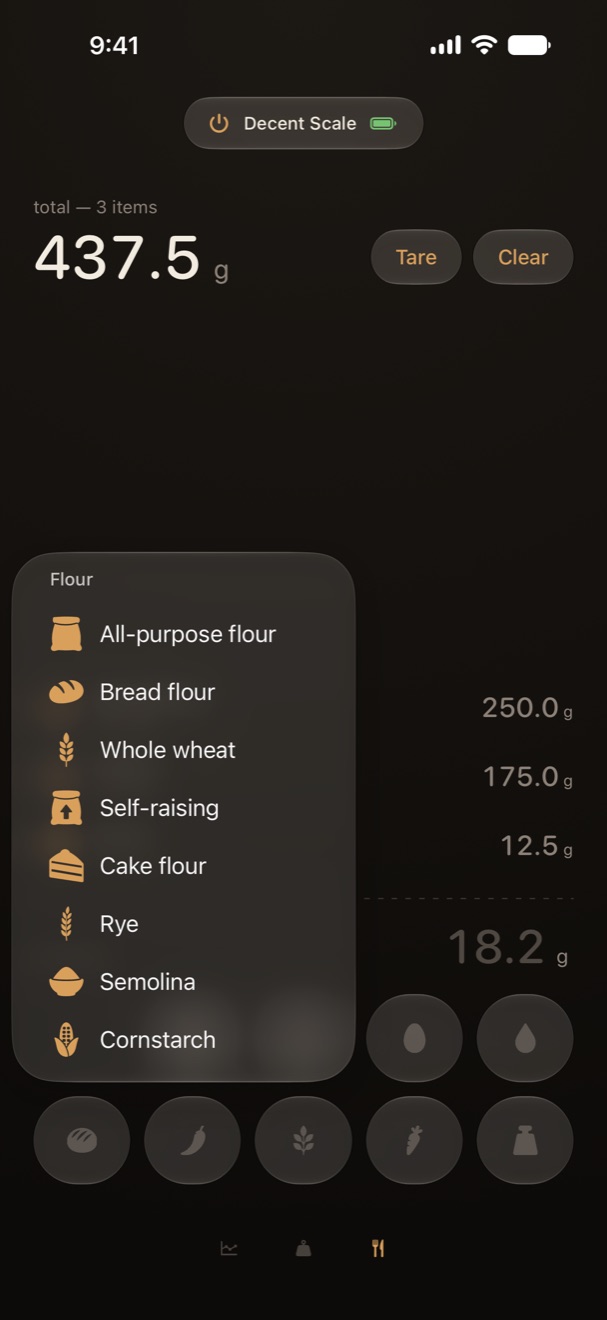
The tally row holds broad categories. Hold one and the pantry opens with the specifics: all-purpose, bread, whole wheat, self-raising, cake, rye, semolina, cornstarch. Same for fats, sugars, leaven, spices, herbs, and produce.

Pick one and it goes on the ledger by name, timestamped, with the grams that were on the pan.

The flour pantry open over the tally grid, listing eight flours

More than one Decent in the house.

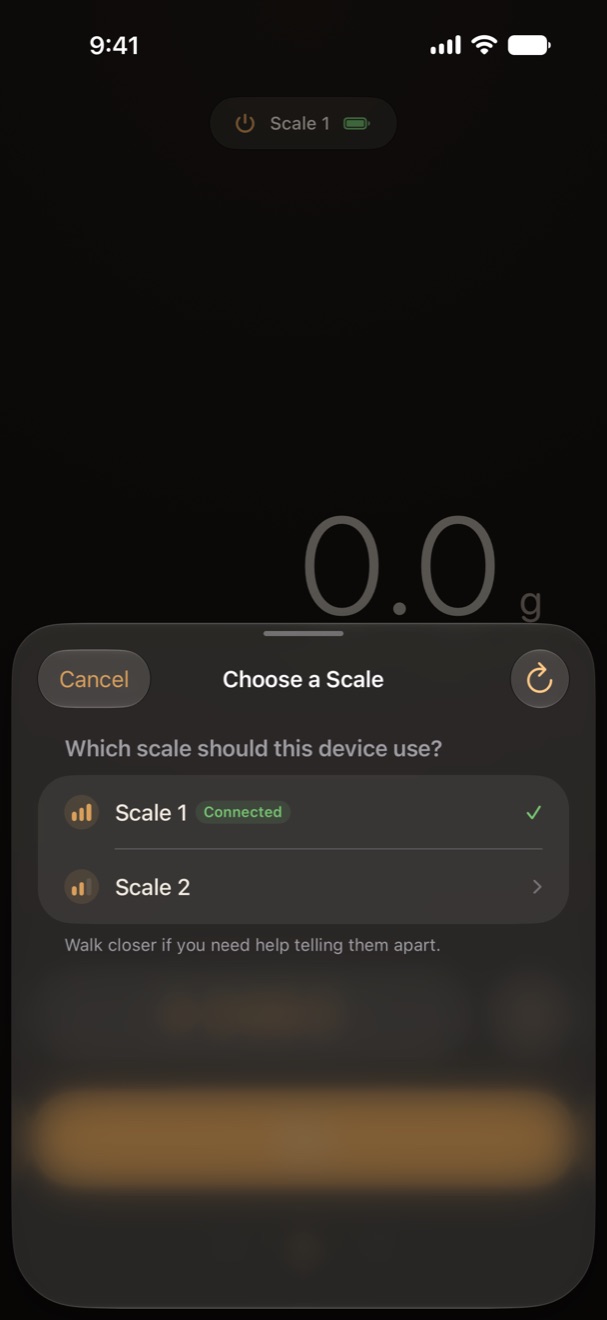
If several scales are advertising, Indecent waits for you to pick. It remembers which one this device used last, and asks for a nickname when the advertised names are identical.

Signal bars show which one is closest. Walk closer if the list is hard to tell apart.

Choose a Scale sheet listing Scale 1, connected, and Scale 2

Three icons. Pick your mood.

Spooning Beans is the default. Nice. and Crema Heart are a hold of the capsule away. Each one links to the App Store, if you were looking for the door.

Indecent

For the Decent Scale and Half Decent Scale, on iPhone. No account, no analytics, nothing leaves your device.

Requires a Decent Scale or Half Decent Scale with Bluetooth. Indecent is made by CONFABULAB and is not affiliated with Decent Espresso.